TomoAnalysis™ 3.0
Design, Run, and Compare: Every Step of Holotomography Analysis in One Package
Holotomography (HT) gives you label-free, quantitative 3D images of living cells. TomoAnalysis 3.0 turns that data into measurements and figures: segment any sample, measure, track, and classify what you find, run it across an entire experiment, and report the results, all in a single software package.
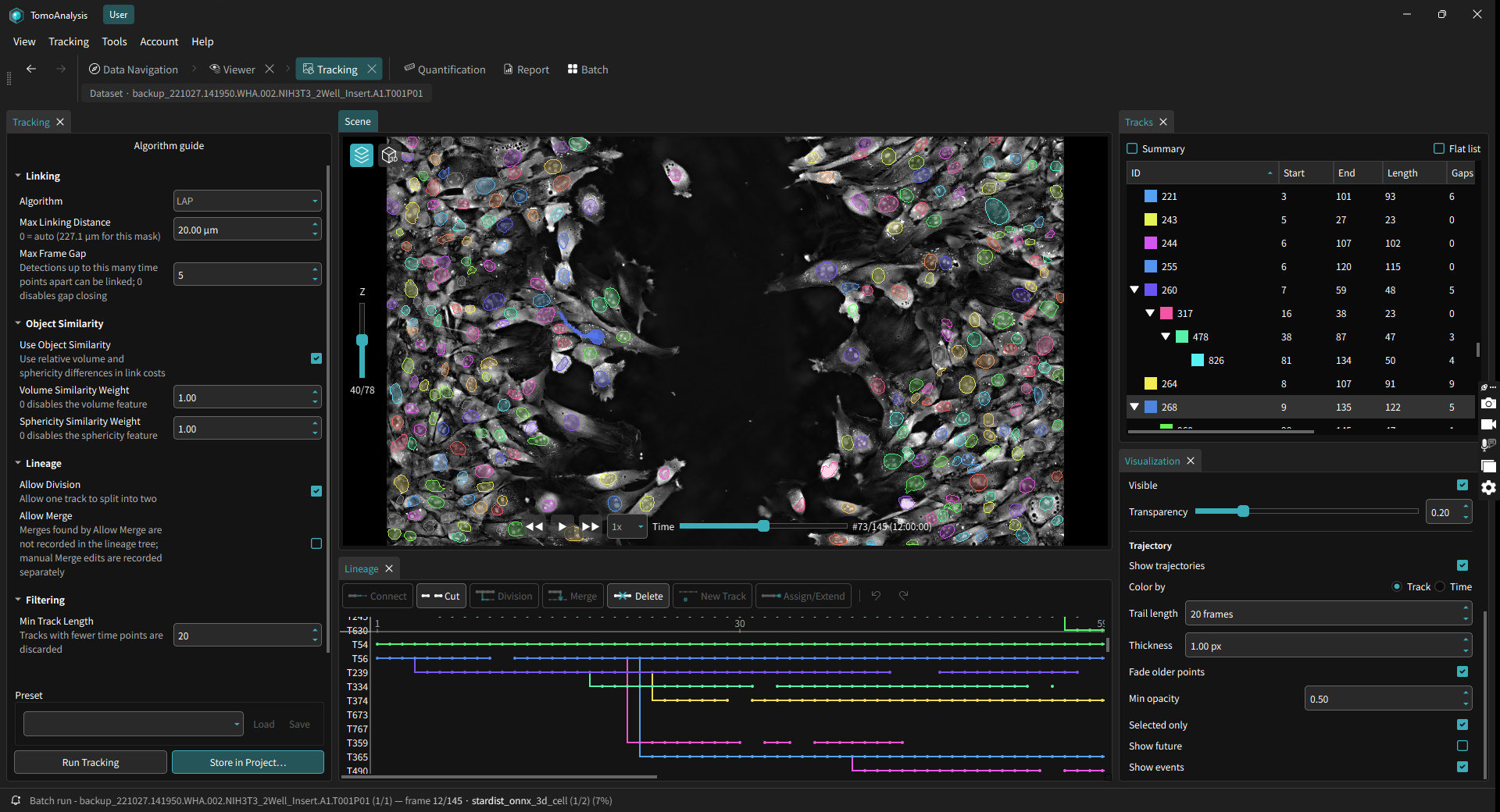
User Benefits
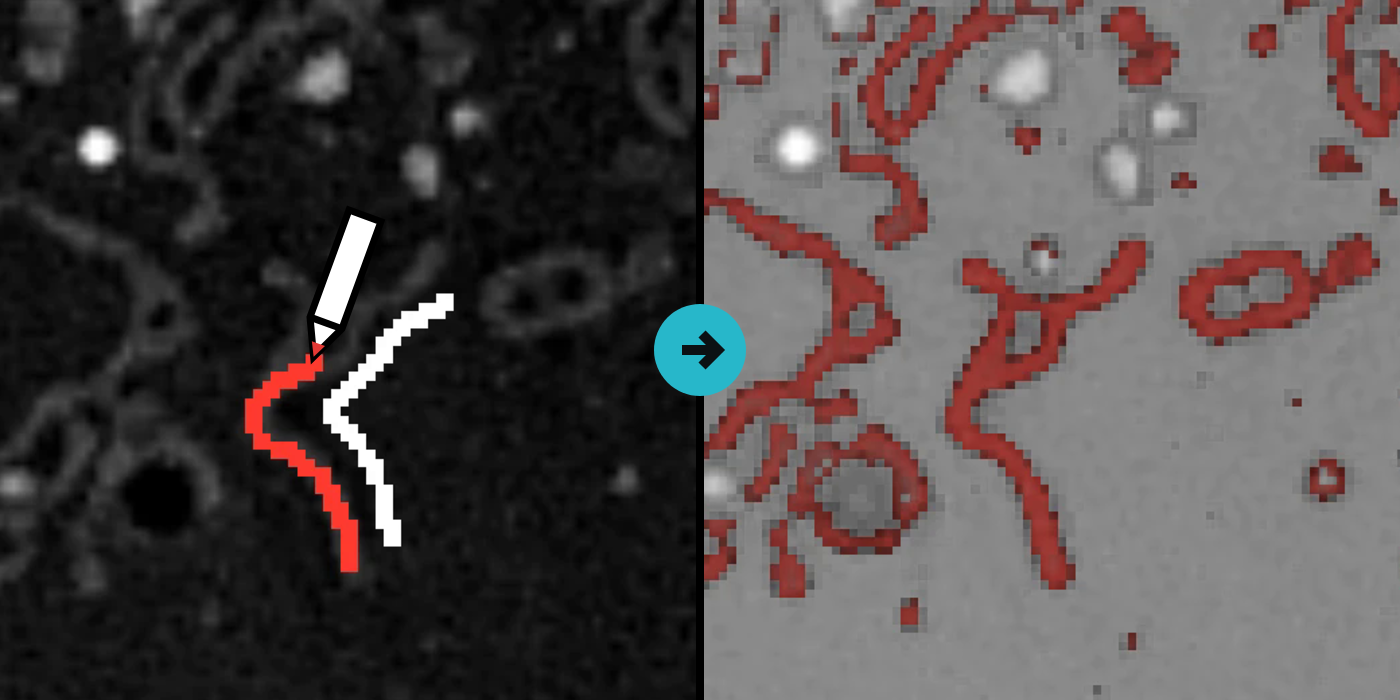
- Flexible segmentation
- Find cells and organelles your way: a refractive index threshold, a few clicks on the cells you want, an AI model, or a pipeline you built before.
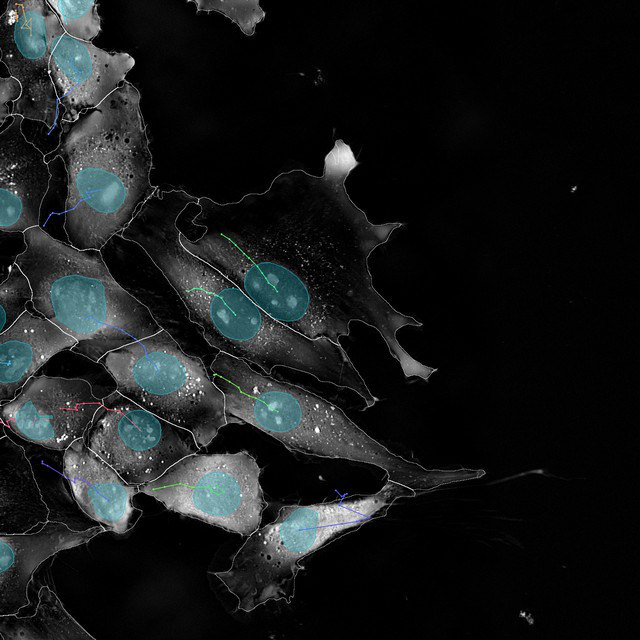
- Time-lapse tracking
- Follow cells across frames, including division and merge events, with editable lineage trees.
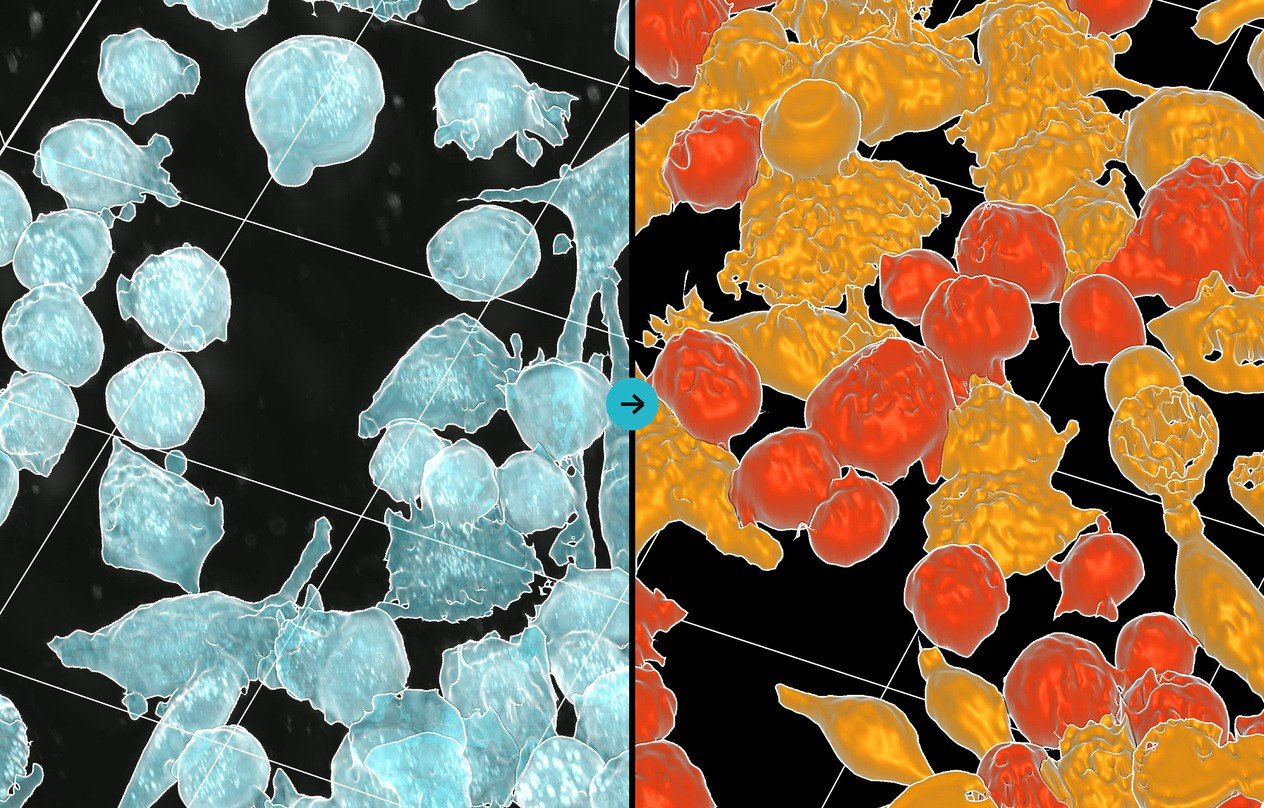
- Phenotype classification
- Sort cells by phenotype with pre-trained models or ones you train interactively, and see which features separate the classes.
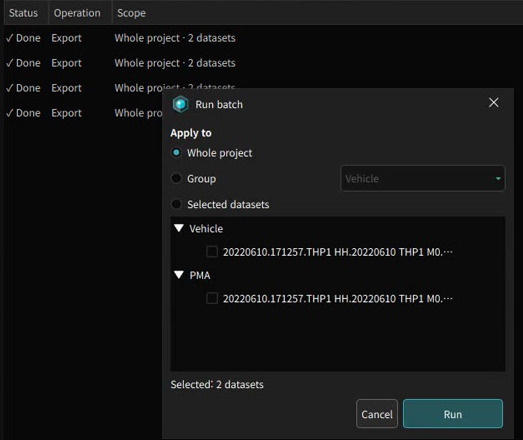
- Batch automation
- Apply any analysis to one dataset or thousands in the background, queued and unattended.
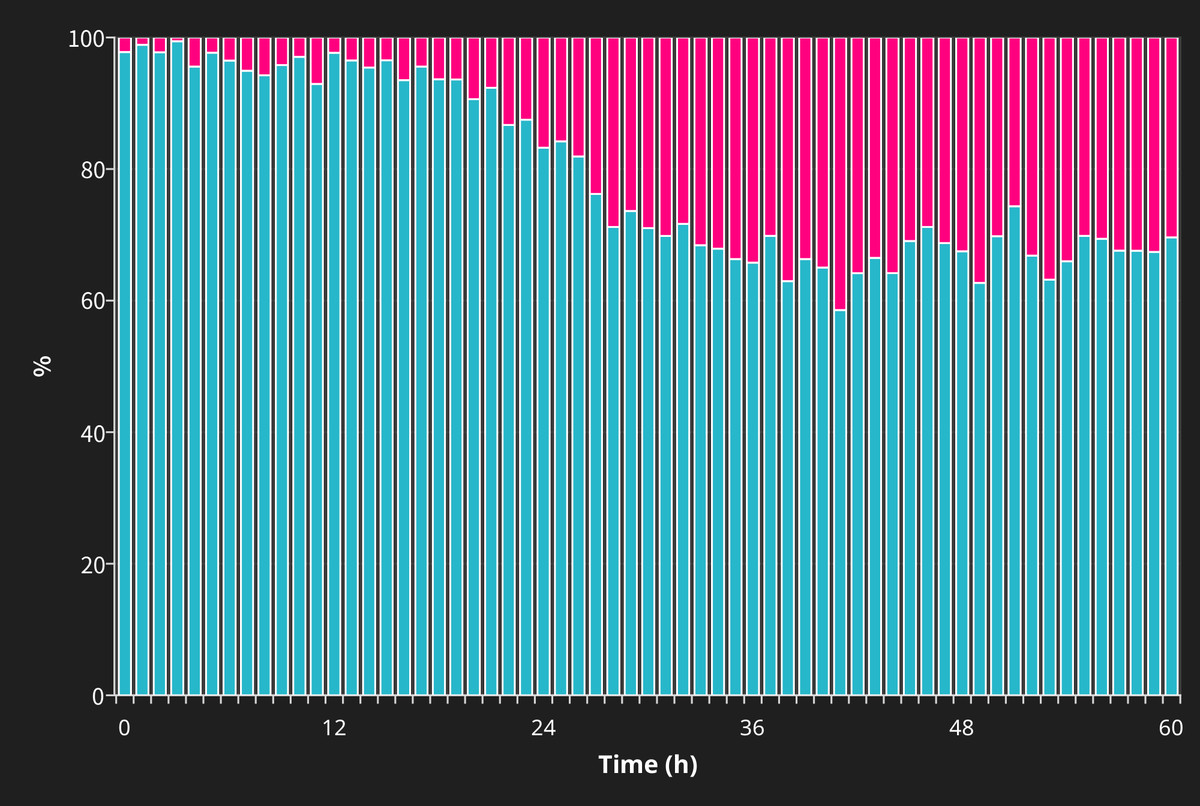
- Graphs and reports
- Plot results by group, time, or dataset as bar, box, violin, line, or scatter, then export a PDF report with the statistics.
Applications
From single organelles to whole organoids: five workflows that run on label-free HT data, with fluorescence when you have it.
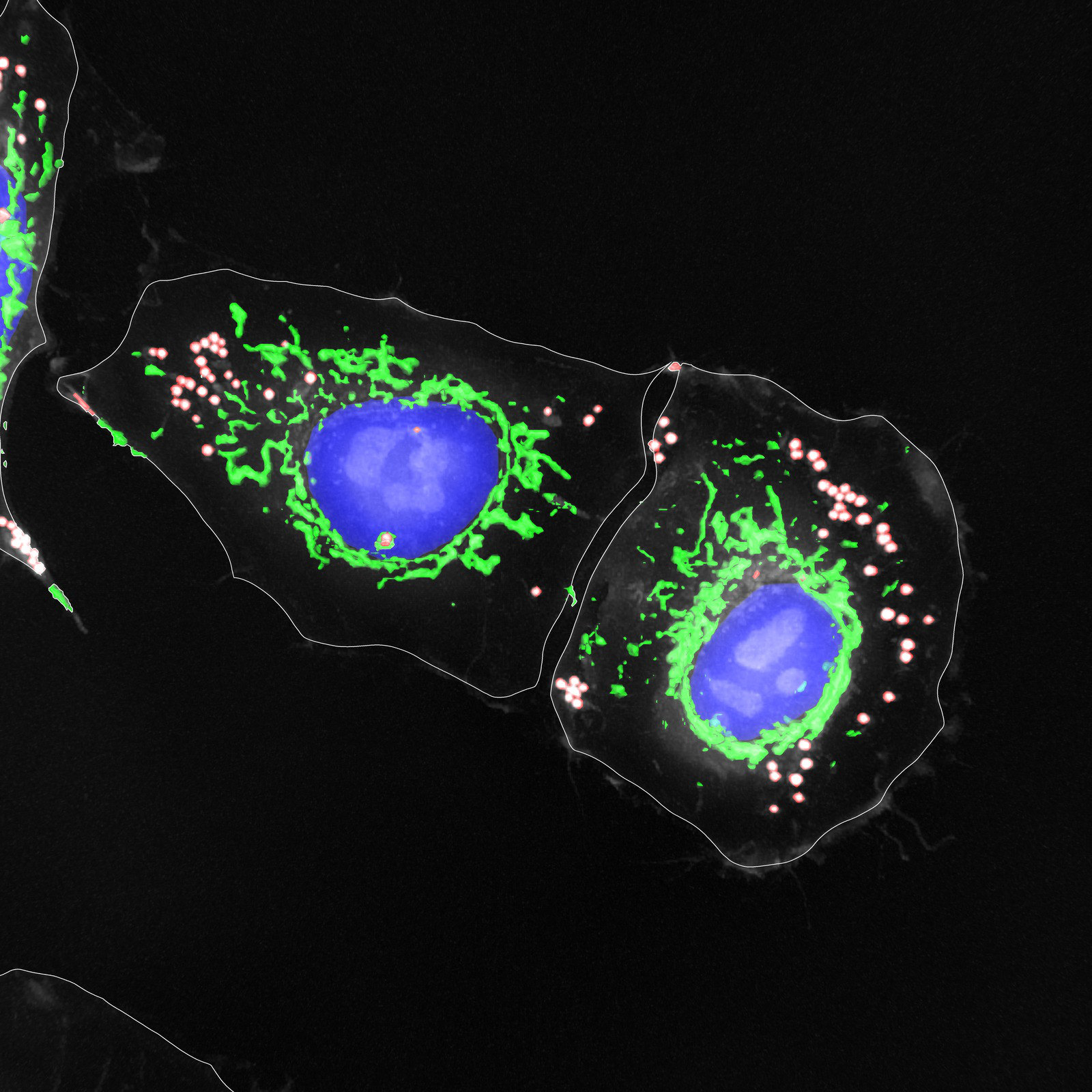
Cell and Organelle Phenotyping
Cell, nucleus, mitochondria, and lipid droplets are segmented from the same label-free image, so every cell carries its own organelle readouts, ready to compare across drugs and time.
Because the contrast is the refractive index itself, there is no dye to load and nothing to fix, so the same cells can be imaged again later. Each organelle is an object of its own, measured on its own and linked to the cell it sits in, so organelle content per cell comes out alongside the cell's own shape, dry mass, and RI.
Measured for every cell
- Cell
- VolumeDry massMass densityRI texture
- Nucleus
- VolumeDry massShare of cell volume
- Mitochondria
- Count per cellNetwork lengthElongation
- Lipid droplets
- Count per cellMean RIDistance to nucleus
Examples from 92+ built-in features per object.
 7:10
Tracking and Cell Dynamics
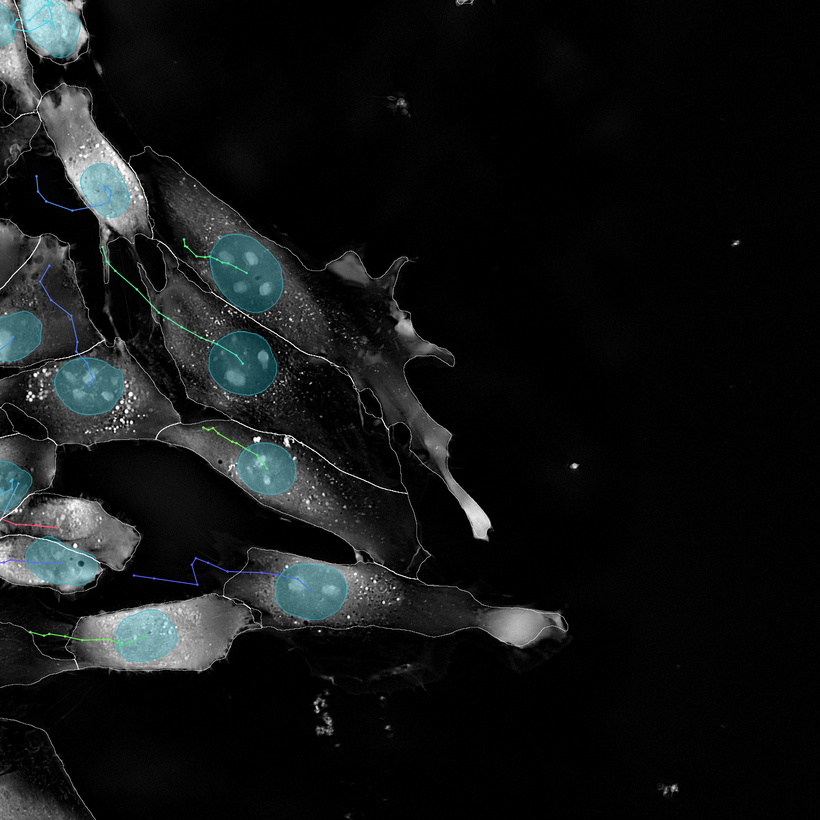
TomoAnalysis 3.0 tracks cells and nuclei frame by frame and keeps their lineage through division. Every track becomes numbers you can plot: speed, displacement, and track length.
Set the linking rules once and apply them to the whole time-lapse. Tracks and lineage trees stay editable, so a missed link or a wrong division can be fixed by hand before you export. Every measurement keeps its track ID, so any per-cell feature can also be followed over time.
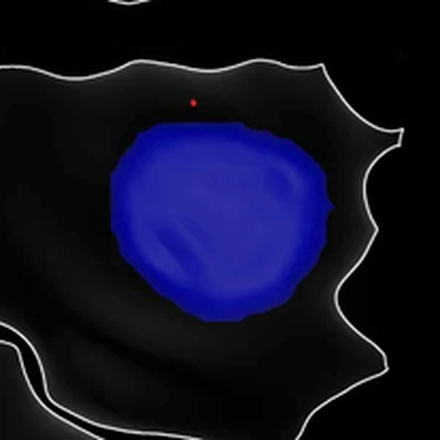
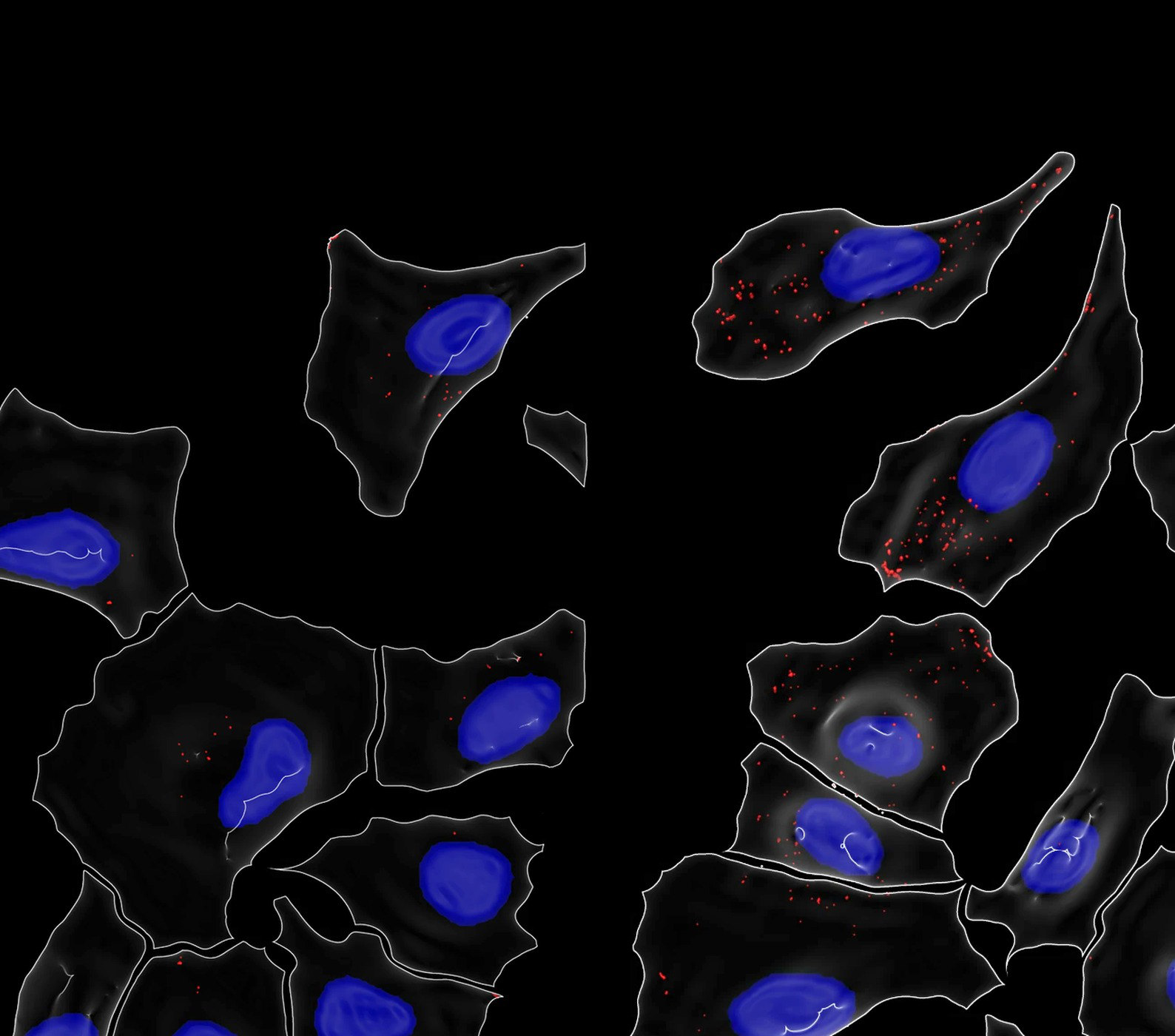 Vehicle (DMSO)
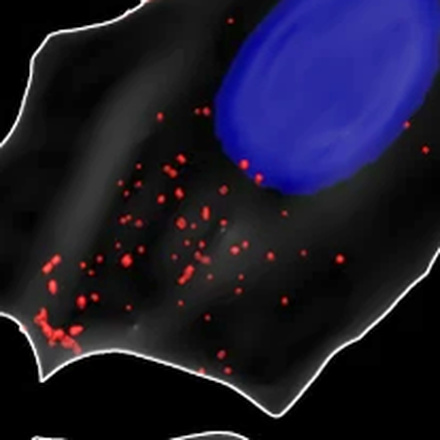
Oligomycin A, 2 µM
4D Phenotypic Drug Discovery
Label-free 3D images taken over time show how each compound changes cells. TomoAnalysis 3.0 builds a phenotypic profile for each compound and dose, ranks compounds by their distance from vehicle, and follows how the population shifts from one time point to the next.
Every dose runs through one pipeline in Batch, so all wells are segmented and measured the same way. Cell, nucleus, and lipid droplet features are then compared with vehicle for each compound and dose, and a condition heatmap shows which compounds move the cells and from which dose.
Questions this workflow answers
- Hit calling
- Did the phenotype change?
- Clustering
- Which compounds act alike?
- Key features
- What changed in the cell?
- Time course
- When does it change?
Organoid Analysis
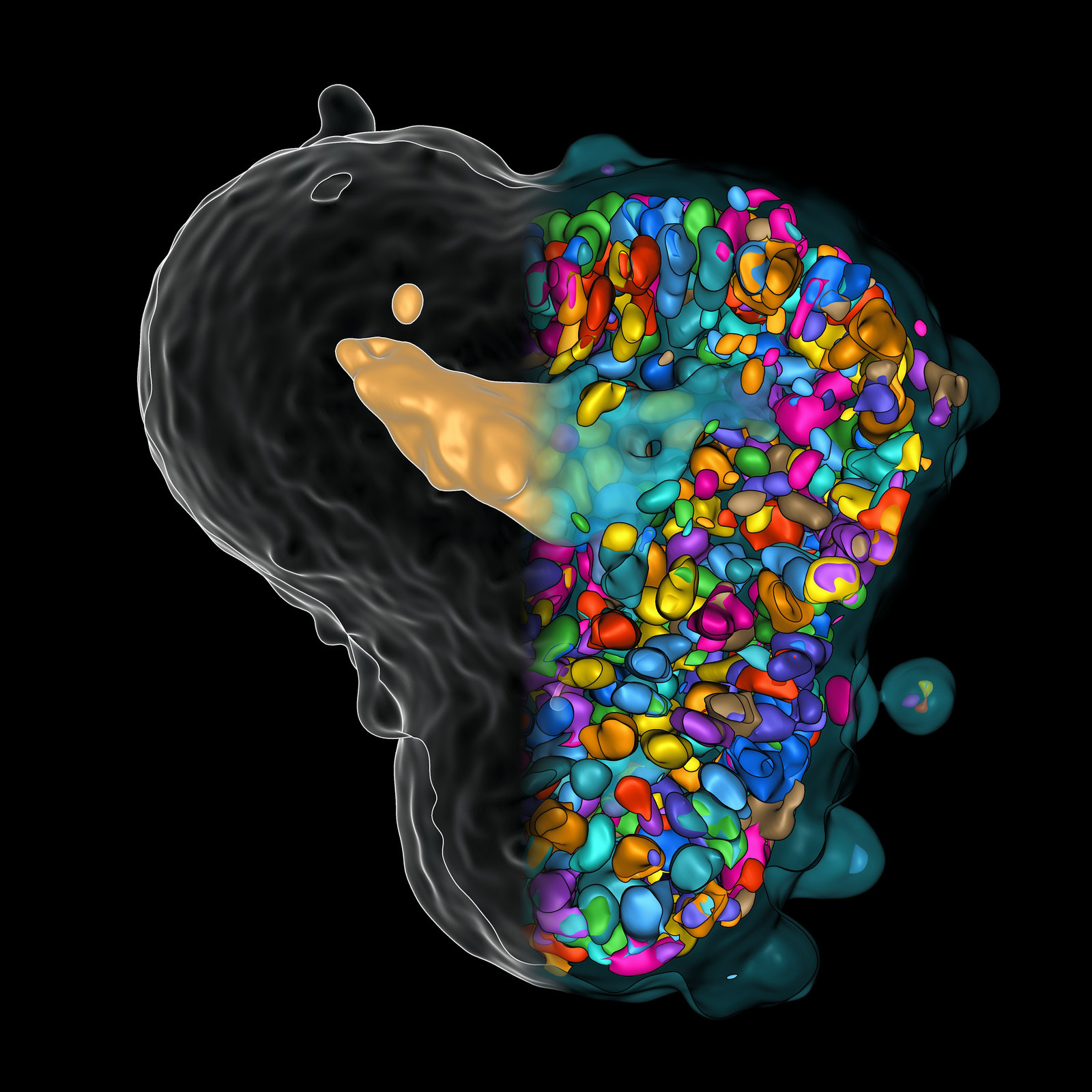
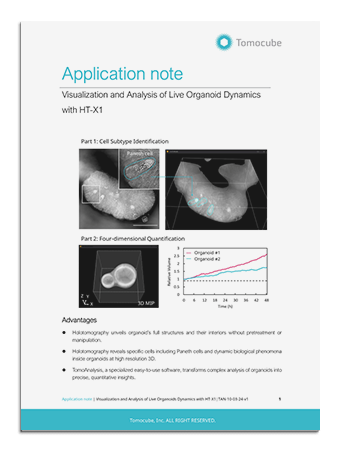
One pipeline segments the whole organoid, its cell layer, its lumen, and every nucleus from a single label-free image. Each compartment is measured on its own, so a dose effect can show up inside the organoid before its outline changes.
Nothing is stained or fixed, so organoids can be imaged again after treatment. Nucleus counts, cell layer volume, and lumen volume come out per organoid and per compartment, ready to plot against dose across a plate.
Measured for every organoid
- Organoid
- VolumeDry massSurface roughness
- Cell layer
- Wall thicknessThickness CVDry mass
- Lumen
- VolumeLumen radius
- Nuclei
- Count per organoidDistance to lumen
Examples from 92+ built-in features per object.
Correlative Fluorescence
HT and fluorescence (FL) channels are read from the same dataset, so a marker and the refractive index meet object by object. Measure FL inside HT objects, let a marker define regions, or use an FL readout as each object's class.
Because the two channels stay aligned object by object, a stain can also check a label-free result: how well an HT segmentation or class agrees with the marker on the same nuclei.
- 1HT finds every nucleus.
- 2Acridine orange (green) stains live cells, propidium iodide (red) dead ones.
- 3Each HT nucleus takes the stain inside it: live in white, dead in magenta.
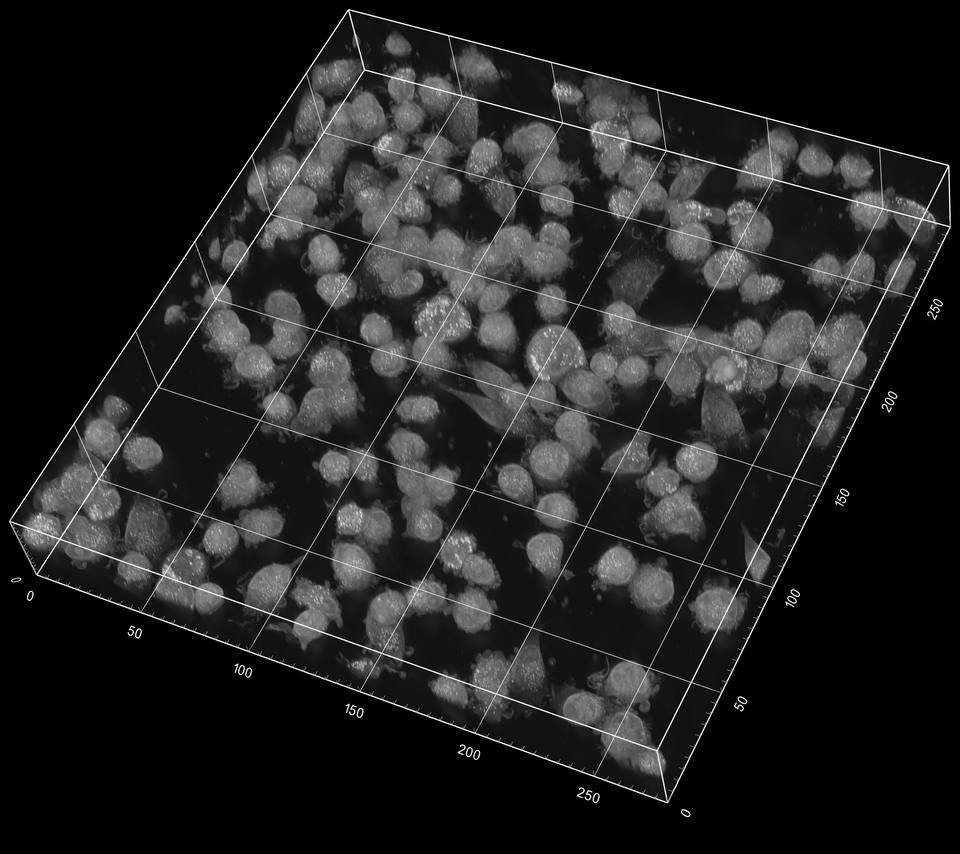
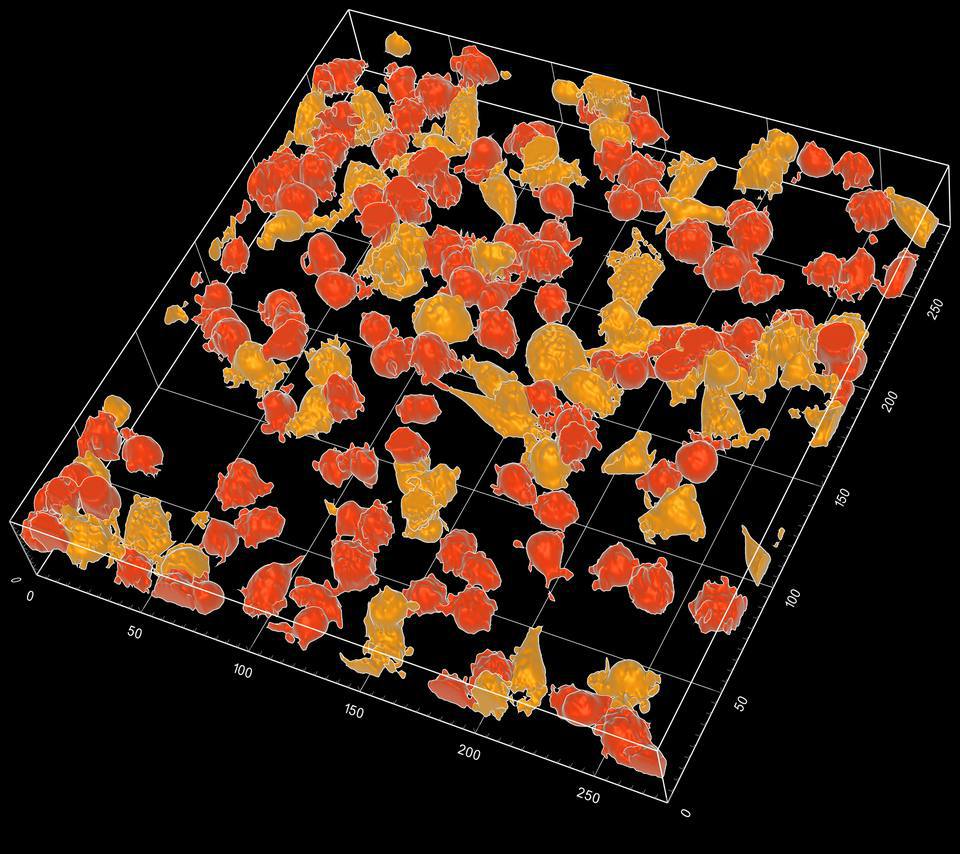
Interactive viewer
THP-1 Differentiation, Classified in 3D
Label-free HT volumes of THP-1 monocytes over 60 hours of PMA-induced differentiation into macrophage-like cells, next to the class TomoAnalysis 3.0 predicts for each cell. Drag the bar on the image to compare the two views, and press play to step through time.
AI Agents
TomoAnalysis at Full Depth, Through AI Agents
Describe the analysis in plain words. Through MCP (Model Context Protocol), an AI agent calls TomoAnalysis 3.0 functions to open the data, run the pipeline, measure, compare, and report, with every step in your own TomoAnalysis window.
Compare each drug with the DMSO controls. Which ones change the cells, and from what dose? I need graphs and a report I can share.
- Opened your A549 project: 4 drugs, 7 doses each, and controls
- Chose a pipeline that segments cells, nuclei, and lipid droplets in 3D
- Tested it on one image and showed you the masks
- Ran it on every image in one Batch workflow
- Measured volume, RI, and dry mass for each cell
- Compared each drug and dose with the controls and drew the graphs
Your results and report are ready.
Illustrative session. Masks, graph, and report from TomoAnalysis 3.0.
Made in TomoAnalysis 3.0
Volumes, overlays, classes, and tracks, rendered in TomoAnalysis 3.0 by Tomocube application scientists from label-free holotomography data.
Specifications
Software
- Input data
- Tomocube native formats (TCF, TCZ)
- HT and fluorescence (FL) channels
- Visualization
- 2D slices and orthogonal views
- Multi-view layouts
- 3D volume and surface rendering
- Depth color and RI colormaps
- Object, class, and track overlays
- Image and movie recording
- Segmentation
- Threshold-based, interactive, and ML segmentation
- Pipelines, powered by AI
- Quantification
- 92+ built-in features per object, at cell and organelle level
- Morphology, RI, dry mass, and texture
- Custom formula features
- Analysis
- Tracking across time points
- ML classification by annotation
- Profile-based clustering
- Compare
- Group and time-course graphs
- Batch runs with one pipeline
- Reports with figures and tables
- AI agents
- Operated by MCP-compatible AI agents (Model Context Protocol)
- License
- Floating or institutional license
- Annual subscription or perpetual
System Requirements
RecommendedBest performance
- OS
- Windows 10 / 11 (64-bit)
- CPU
- Intel Core Ultra 7 265 / AMD Ryzen 7 9700X or higher
- Memory
- 64 GB
- GPU
- NVIDIA GeForce RTX 5060 Ti or RTX 2000 Ada or higher
- Storage
- NVMe SSD
Minimum
- OS
- Windows 10 / 11 (64-bit)
- CPU
- Intel Core i5-12400 / AMD Ryzen 5 5600 or higher
- Memory
- 32 GB
- GPU
- NVIDIA GeForce RTX 20 series or later, or NVIDIA RTX professional GPU
- Storage
- SSD
macOS is not supported. Specifications are subject to change without notice.
Resources

FAQ
What is TomoAnalysis 3.0?
TomoAnalysis 3.0 is Tomocube's analysis software for holotomography (HT) data. It segments cells, organoids, and organelles in label-free 3D images, measures them, tracks and classifies them, runs the same pipeline across a whole experiment, and reports the results as graphs and tables.
What can TomoAnalysis 3.0 measure?
92+ built-in features per object, at cell and organelle level, covering morphology, refractive index (RI), dry mass, and texture. You can also define custom formula features.
Do I need to stain my samples?
No. HT images are label-free, so segmentation and measurement work on unstained samples. If a dataset also has fluorescence (FL) channels, TomoAnalysis 3.0 measures them inside HT objects.
What is the difference between TomoAnalysis 3.0 and TomoAnalysis Viewer?
TomoAnalysis Viewer is for data review: browsing datasets, exploring 3D structure, and on-screen measurements. TomoAnalysis 3.0 adds the analysis itself: segmentation, quantification, tracking, classification, batch runs, graphs, and reports.
Which data can I analyze?
Tomocube native formats (TCF and TCZ), including HT and fluorescence (FL) channels from the same dataset.
What computer do I need?
A Windows 10 or 11 (64-bit) workstation with an NVIDIA GPU. See the system requirements above for minimum and recommended configurations. macOS is not supported.
Can an AI agent run TomoAnalysis 3.0?
Yes. TomoAnalysis 3.0 can be operated by MCP-compatible AI agents (Model Context Protocol). The agent works through TomoAnalysis functions, so every step runs in your own TomoAnalysis window, where you can check it.
How is TomoAnalysis 3.0 licensed?
As a floating or institutional license, with an annual subscription or a perpetual option. Contact us for details.
Get Started with TomoAnalysis™ 3.0
Request a demo to see the full workflow on HT data, from segmentation to report.
Request a DemoFor Research Use Only. Not for use in diagnostic or therapeutic procedures.